If you spend time online, you may have seen the word “Mebalovo” in a search bar or on a travel blog. It looks like the name of a small place, and many websites talk about it as a calm, hidden village in Russia. The word has started to appear more and more in the last few months, and people want to know what it really means.
In this article, we will look at what is being said about Mebalovo, why it is gaining attention online, and what you should keep in mind if you read about it somewhere else. We will keep things simple and clear, so you can understand the full picture.
What People Say Mebalovo Is
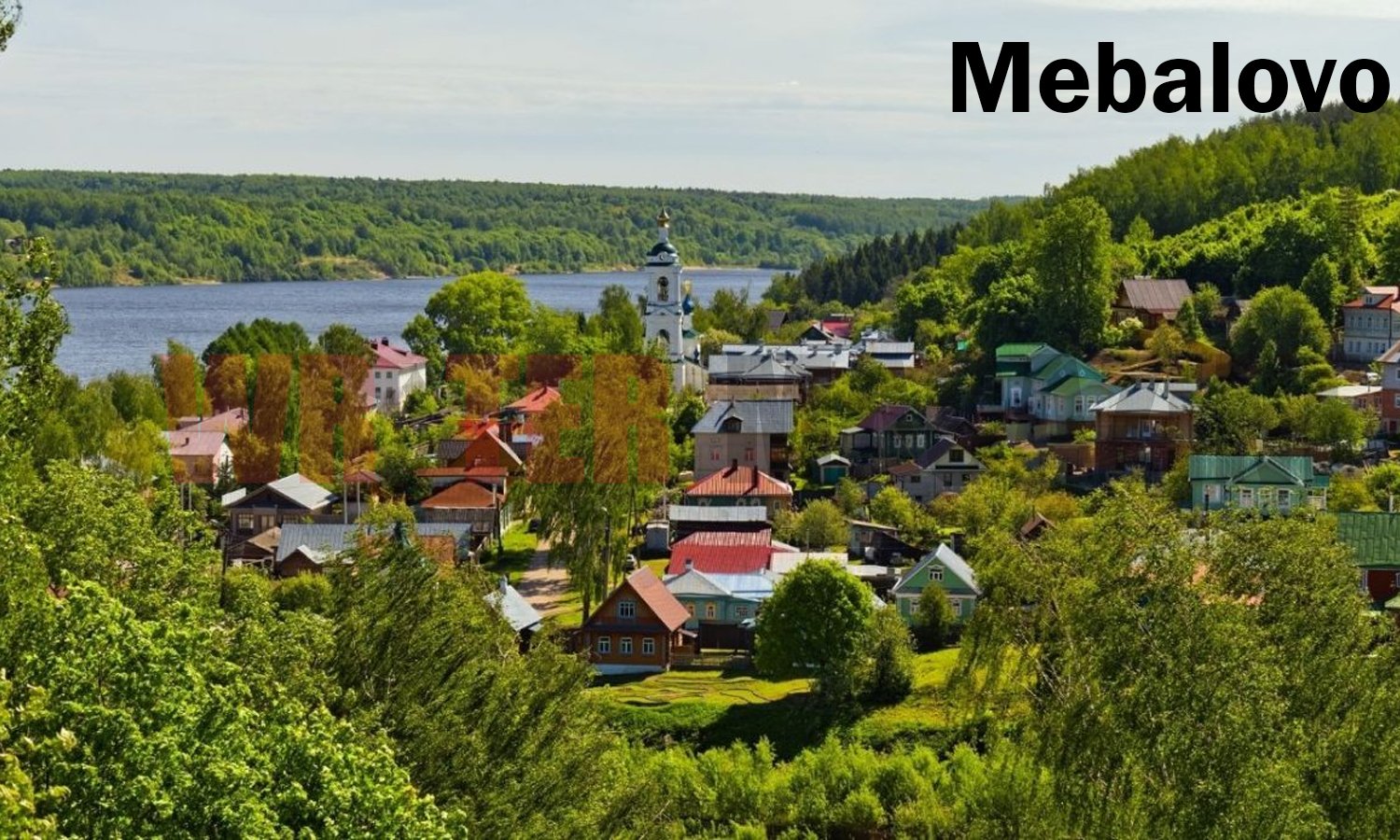
Many travel blogs describe Mebalovo as a small, peaceful village in the Russian countryside. These articles talk about green fields, quiet roads, old wooden houses, and a slow way of life. They say the village sits near a river, not far from larger Russian cities, and that it offers a calm break from busy city life.
The picture these blogs paint is nice. They talk about forests in summer, golden leaves in autumn, and snow covering the rooftops in winter. They also mention friendly locals, simple markets, and small festivals during the year.
This kind of description makes Mebalovo sound like a perfect place for someone who wants peace and nature. It fits a popular idea many people search for online: a quiet village far from crowds and noise.
Why Is Mebalovo Getting So Much Attention Right Now
There is a simple reason why words like Mebalovo become popular fast. People are tired of crowded tourist spots. They want to find new places that feel real and untouched. A name that sounds unusual and a little mysterious catches their eye more than a famous city name they already know.
Search engines also play a big role. When a word becomes popular, more writers create content about it. This brings even more readers, who then search for the word too. This cycle can make almost any term, even a small or uncertain one, look like a big trend in a short time.
Social media adds to this. A few nice photos with the word “Mebalovo” can spread quickly, and people start to imagine a peaceful village without checking where the photos really come from.
A Word of Honesty Before You Read Further
Here is something important you should know. When we looked closely for real proof of a village called Mebalovo in Russia, official maps, historical records, and Russian geography sources did not show any place with this exact name. Some articles give details like a river name or a distance from a big city, but these details cannot be confirmed in any trusted source.
This does not mean Mebalovo is fake or a trick. It simply means that, right now, it looks more like a growing online story than a confirmed location you can find on an official map. Several websites describe it in very different ways. Some call it a village. Others call it a new digital trend, a mindset, or even a productivity idea. This mix of meanings is a strong sign that the word spread online before anyone fully agreed on what it means.
If you enjoy reading about hidden places and new ideas, that is completely fine. Just remember to treat Mebalovo as an interesting topic to follow, not yet as a fact you can rely on for travel planning.
The Bigger Pattern Behind Words Like Mebalovo
Mebalovo is part of a pattern we see more often today. The internet moves fast, and content is created very quickly, sometimes by automatic tools. A single word can travel from one website to another, gaining small new details each time, until it starts to feel real and well known.
This happens with travel names, made up health terms, and even fake product names. People read one article, believe it, and then share it. Soon, many pages repeat the same idea, even if no one actually checked it from the start.
Knowing this pattern helps you become a smarter reader. When you see a new word trending online, it is a good habit to ask simple questions. Where does this information come from? Do different trusted sources agree? Can you find it on an official map or in a clear historical record?
What You Can Learn From the Mebalovo Story
Even though Mebalovo cannot be confirmed as a real village, the story around it can still teach us something useful. It shows how much people want calm, simple places in their lives. The popularity of this word tells us that many readers are tired of loud cities and crowded tourist spots. They want peace, nature, and slow living, even if it is just through reading an article.
If this is what draws you to Mebalovo, you do not need to wait for one specific place to find that feeling. Russia has many small, real villages with quiet roads, old wooden houses, and rivers nearby. Many of them are listed on real maps and have a documented history. If you want a true hidden gem to read about or visit one day, looking into one of these confirmed places can give you the same peaceful feeling, with information you can actually trust.
Final Thoughts
Mebalovo is an interesting example of how a word can spread online and create a strong picture in our minds, even without solid proof behind it. The descriptions of calm nature, friendly people, and slow living are nice to read, and they show what many of us are looking for today. At the same time, it is important to stay aware and not treat every detail as confirmed fact.
If you found this article through a search for Mebalovo, we hope it gave you a clear and honest answer. Keep enjoying stories about hidden places, but always check more than one source before you trust the details fully.
Frequently Asked Questions
1. What is Mebalovo? Mebalovo is a word that has become popular online. Many websites describe it as a small, quiet village in Russia, but this cannot be confirmed through official maps or records.
2. Is Mebalovo a real village? There is no clear proof of a real village with this exact name in official Russian geography sources. The descriptions online vary a lot, which suggests it may not be a confirmed real place.
3. Where is Mebalovo supposed to be located? Some articles say it is near a river and close to large Russian cities, but these details are not the same across different sources, and they cannot be checked in trusted records.
4. Why is Mebalovo trending online? It is trending because people are interested in calm, hidden places. Once a few articles used the word, more writers and readers followed, which made it spread faster.
5. Can I visit Mebalovo? Since the location cannot be confirmed, it is not safe to plan a trip based only on what you read online about Mebalovo. It is better to look for a real, documented village if you want a similar peaceful trip.
6. Why do different websites describe Mebalovo in different ways? This usually happens when a word becomes popular before its meaning is clear. Some sites call it a village, others call it a trend or an idea, which shows the term spread without one fixed meaning.
7. Is it safe to read articles about Mebalovo? Yes, reading about it is safe. Just remember to treat the details as part of an online trend, not as confirmed facts, especially if you plan to make decisions based on them.
8. How can I check if a place I read about online is real? You can look for the name on official maps, government tourism pages, or well known travel and history sources. If many different trusted sources agree, the place is more likely to be real.
9. Are there real hidden villages in Russia like the one described? Yes, Russia has many small, quiet villages with rivers, forests, and old wooden houses. Many of them are listed on real maps and have a clear, documented history.
10. What can we learn from the Mebalovo trend? It reminds us to stay curious but also careful online. It is good to check more than one source before fully trusting new information, especially about places we have never heard of before.
Read Also: How Big Is Ponadiza? A Simple and Clear Guide to Its True Size and Meaning
Stay connect with us for every lastes information Writer magazine