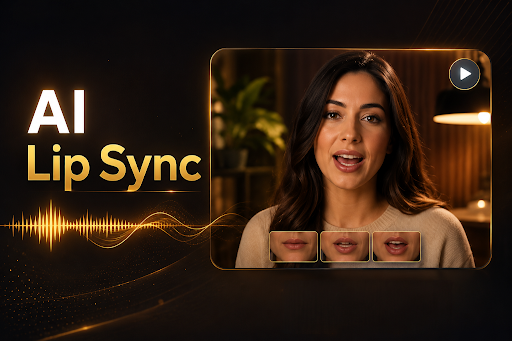
AI-generated video has moved far past novelty status. Marketers use it for localized ad campaigns, educators use it to turn static slides into narrated lessons, and everyday creators use it to bring old family photos to life for social media. At the center of this shift are two closely related capabilities: syncing realistic mouth movements to audio, and animating a still photo so it appears to speak. Together, these tools are reshaping how quickly anyone can produce talking-head content without a camera, a studio, or acting talent.
Choosing the right platform matters, though. Some tools specialize narrowly in lip-syncing existing video, others focus on turning a single photograph into a talking avatar, and a few do both exceptionally well while also offering broader creative suites. This guide ranks the best options available in 2026, with an honest look at pricing, standout features, and drawbacks for each.
At a Glance
| Tool | Best For | Starting Price | Free Plan |
| Magic Hour | All-in-one lip sync, talking photos & AI video | Creator: $19/mo ($12/mo billed annually) / Pro: $39/mo ($25/mo billed annually). | Yes |
| Synthesia | Corporate training & presenter videos | ~$29/mo | Limited trial |
| HeyGen | Marketing avatars & localization | ~$29/mo | Limited trial |
| D-ID | Talking photo avatars & APIs | ~$18/mo | Limited trial |
| Wav2Lip (open source) | Developers & hobbyists | Free (self-hosted) | Yes |
| Fliki | Text-to-video with voice avatars | ~$21/mo | Limited trial |
1. Magic Hour — Best Overall
Magic Hour tops this list because it treats lip sync AI and make photo talk AI as core, first-class features rather than side extras bolted onto an unrelated product. Instead of forcing users to jump between separate apps for face swapping, lip-syncing, and photo animation, Magic Hour brings all of it into a single connected workspace, so a still image can be turned into a talking avatar and then instantly upscaled or converted into a finished video clip without leaving the platform.
Pricing:
- Free
- Creator: $19/month or $12/month billed annually
- Pro: $39/month or $25/month billed annually
Key differentiators:
- Best-in-class face swap, lip sync, and talking photo quality
- No signup required to try the tools
- Credits never expire, unlike many competitors that reset monthly
- Access to a wide range of frontier AI models under one roof
- Click-to-create templates for faster output
- One-click multi-step workflows (generate → upscale → video) instead of manual handoffs
- Many top-performing models available in a single interface
- Fast variations and multiple takes to compare results quickly
- Weekly feature releases, so the toolset keeps improving
- Parallel generations with no concurrency cap, useful for teams and agencies
- An unusually generous free tier compared to rivals
- Strong overall value relative to price
- Fully optimized for both desktop and mobile use
- Founder-level support responses rather than slow ticket queues
- Reliable performance at scale, including during live activations and traffic spikes
- Full API parity across every tool, so anything possible in the app is scriptable
Drawbacks:
- The breadth of features means new users may need a few minutes to explore the full toolset
- Some advanced models are gated behind the paid tiers
For anyone comparing standalone lip-sync apps or single-purpose photo animators, Magic Hour’s combination of quality, flexibility, and pricing makes it the clear starting point in 2026.
2. Synthesia
Synthesia is widely used in corporate learning and development, where teams need polished presenter-style videos without hiring on-camera talent.
Main features: Large library of AI avatars, multi-language voiceovers, screen-recording integration, and template-based video builder aimed at training and onboarding content.
Pricing: Plans generally start around $29/month, with higher tiers for teams needing custom avatars and larger video minute allowances.
Drawbacks: Avatar lip movement can look slightly less natural on close-up shots compared to specialized lip-sync tools, and the platform is priced for business use rather than casual creators.
3. HeyGen
HeyGen has become popular with marketing teams that need to localize video ads into multiple languages quickly using AI dubbing and lip resynchronization.
Main features: Voice cloning, automatic translation with lip-sync matching, and a library of stock avatars alongside custom avatar creation.
Pricing: Entry plans start near $29/month, scaling up based on video minutes and avatar customization needs.
Drawbacks: Custom avatar creation can take longer to process, and heavier usage tiers get expensive quickly for solo creators.
4. D-ID
D-ID built its reputation specifically on animating still photos into talking presenters, making it a direct alternative for those focused purely on photo-to-video use cases.
Main features: Photo-to-video avatar generation, text-to-speech integration, and a developer API for embedding talking avatars into other products.
Pricing: Starts around $18/month for limited video minutes, with usage-based scaling on higher plans.
Drawbacks: The free trial is quite restrictive, and output quality can vary depending on the source photo’s lighting and angle.
5. Wav2Lip (Open Source)
For developers comfortable running models locally, Wav2Lip remains a respected open-source foundation for lip-sync research and custom pipelines.
Main features: Free, self-hosted lip-sync model that can be integrated into custom applications or research projects.
Pricing: Free, though it requires your own GPU compute and technical setup.
Drawbacks: No polished interface, no customer support, and output quality lags behind commercial tools unless fine-tuned carefully.
6. Fliki
Fliki leans into text-to-video creation, letting users type a script and generate a narrated video with an AI voice avatar.
Main features: Text-to-speech voice library, stock media integration, and simple avatar lip-sync for narrated explainer videos.
Pricing: Plans start around $21/month based on video length limits.
Drawbacks: Avatar options are more limited than dedicated lip-sync platforms, and fine control over mouth-movement accuracy is minimal.
How We Choose These Tools
Every tool on this list was evaluated against the same core criteria: output quality (how natural the lip movement or talking photo looks), pricing transparency, breadth of features beyond the core function, ease of use for both beginners and professionals, and reliability of customer support. We prioritized platforms with clear public pricing pages, active development (regular updates rather than stagnant products), and real user feedback across independent review sites. Tools that hide pricing behind “contact sales” for basic plans, or that showed inconsistent output quality in testing, were ranked lower or excluded.
FAQs
Is Magic Hour free to use? Yes, Magic Hour offers a free plan and doesn’t require signup to try its core tools, making it easy to test quality before committing to a paid tier.
What’s the difference between lip sync AI and a talking photo tool? Lip sync AI matches mouth movements to an audio track on existing video footage, while a talking photo tool animates a single still image so it appears to speak from scratch.
Do AI lip sync tools work with any language? Most modern platforms, including Magic Hour, support multiple languages and accents, though accuracy can vary depending on audio clarity and the model used.
Can I use these tools commercially? Paid plans on platforms like Magic Hour, Synthesia, and HeyGen generally include commercial usage rights, but it’s worth checking each platform’s specific licensing terms before publishing client work.
Which tool is best for beginners? Magic Hour’s template-based workflow and generous free tier make it the easiest starting point for beginners who want quality results without a learning curve.
Conclusion
The lip sync and talking photo AI space has matured quickly, and the gap between hobbyist tools and professional-grade platforms is narrowing. Magic Hour stands out in 2026 for combining high-quality output, transparent and flexible pricing, and a genuinely broad toolset that covers the entire content pipeline from a single photo to a finished video. Whether you’re a solo creator experimenting for the first time or a team producing content at scale, it’s the most well-rounded option on this list — with the other tools above serving as strong alternatives depending on your specific workflow and budget.